How to cancel your subscription
You can cancel your Premium subscription at any time — there is no lock-in. Once you cancel you won't be charged again, and you keep Premium until the end of the period you already paid for. Follow the steps for the place where you subscribed.
Where did you subscribe?
You paid by card on traductordarija.com. You cancel it from your account on this website.
↓You bought Premium inside the app. Apple manages and bills that subscription, so it is canceled from your Apple account.
↓Not sure? App charges show up on your bank statement as APPLE.COM/BILL; if you subscribed on the website, you received an email receipt when you paid.
Cancel the web subscription
It is done from your account on traductordarija.com and takes less than a minute.
- 1
Go to traductordarija.com and sign in to your account ("Login").
- 2
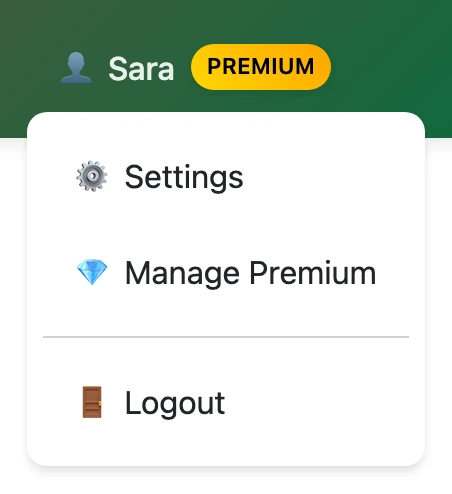
Click the button with your name (👤) at the top right. On mobile it is inside the ☰ menu.
- 3
In the menu, choose "💎 Manage Premium".
- 4
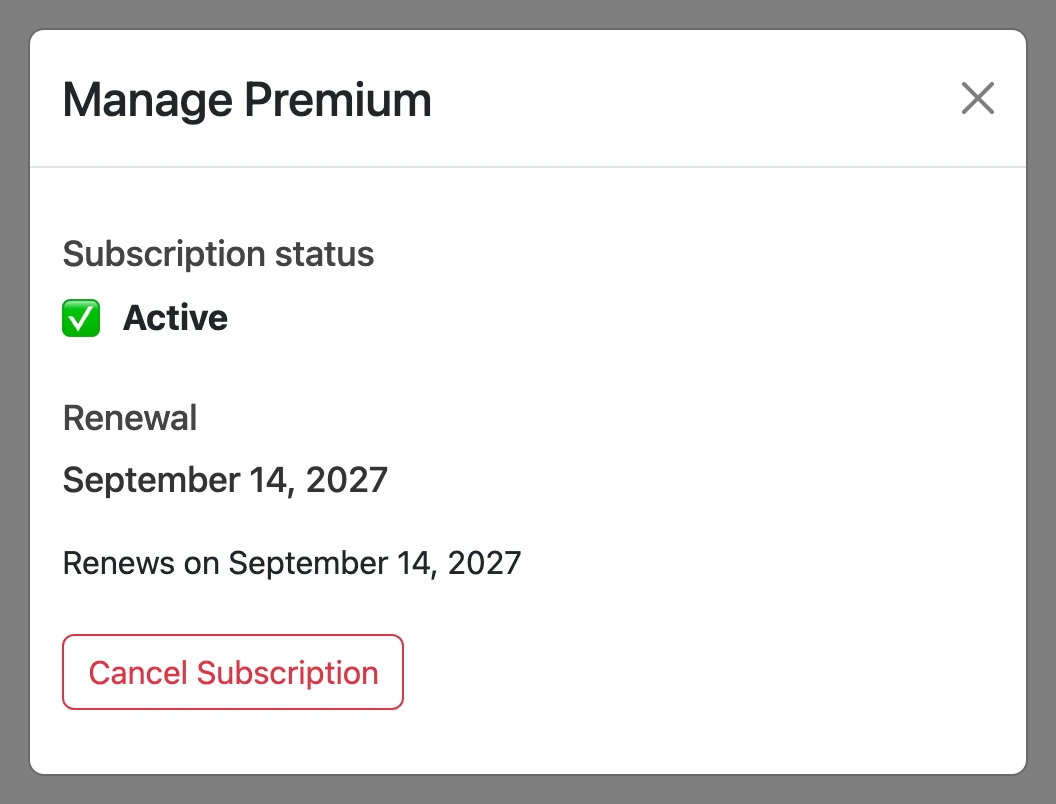
You will see your subscription status and its renewal date. Click "Cancel Subscription".
- 5
Read the notice and confirm by clicking "Confirm Cancellation".
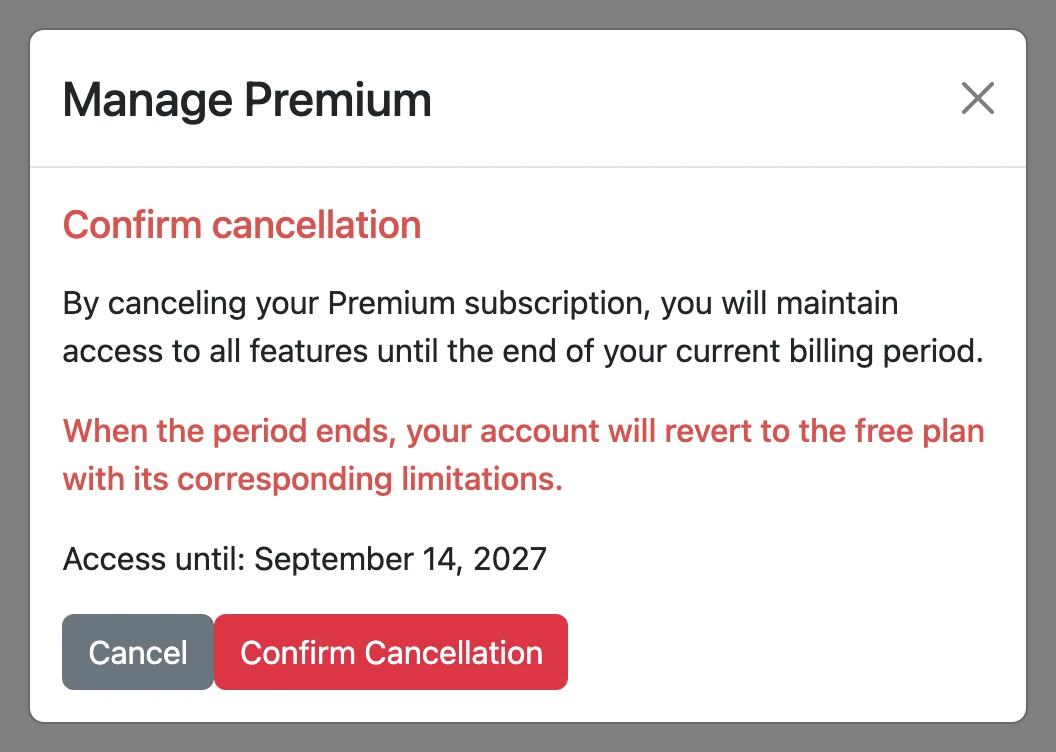
You won't be charged again. Premium stays active until the end of the period you already paid for; after that date your account switches to the free plan.
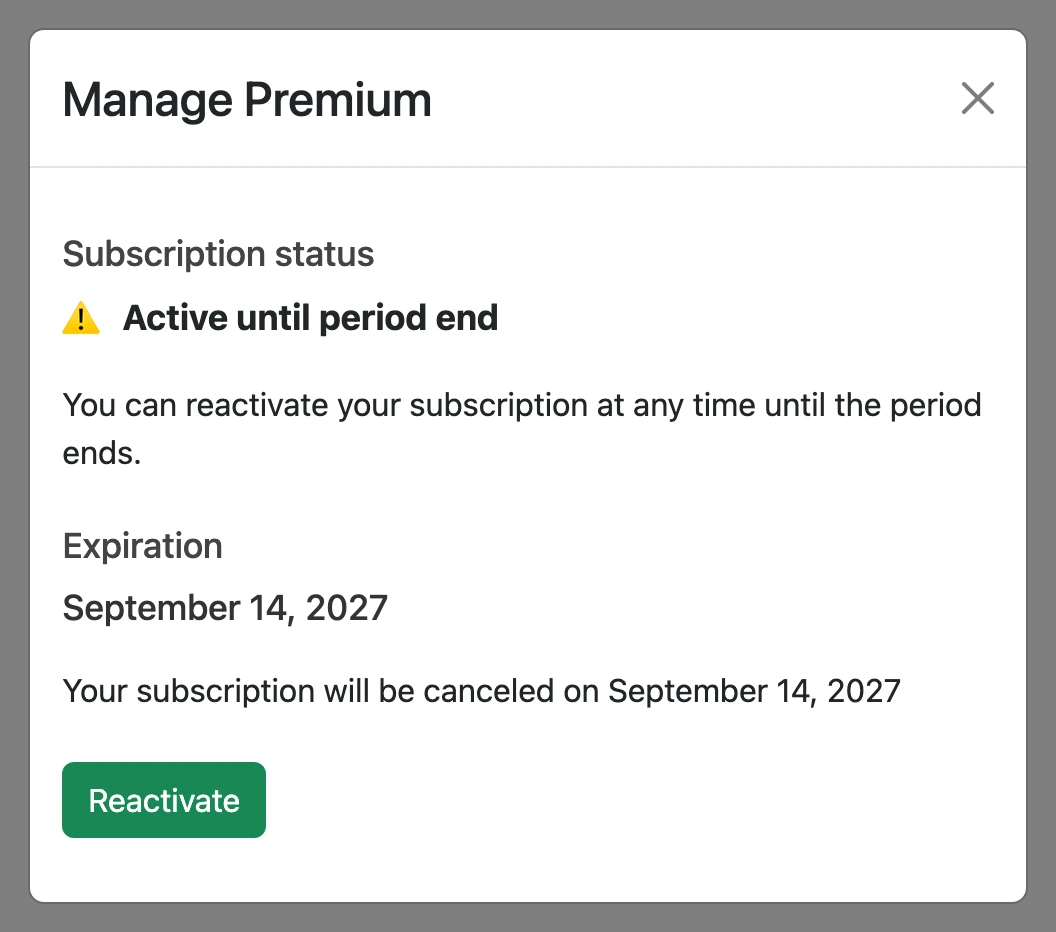
Changed your mind? Until that date you can turn it back on from the same window with the "Reactivate" button.
Cancel the app subscription (iPhone)
Subscriptions bought inside the app are managed and billed by Apple, so they can't be canceled from our website — you cancel them from your Apple account. There are two ways to get there:
Option A · From the app
- 1
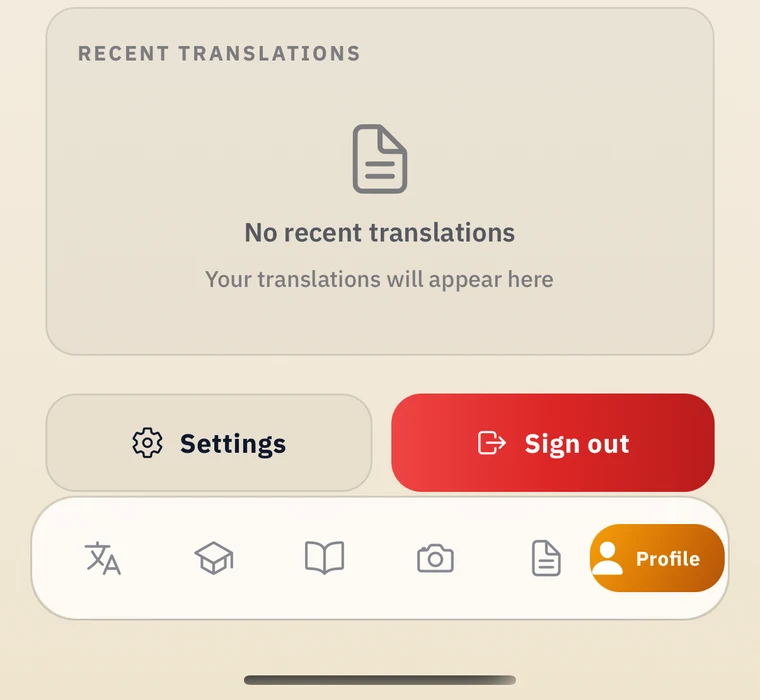
Open the app and tap the "Profile" tab.
- 2
Tap the "Settings" button.
- 3
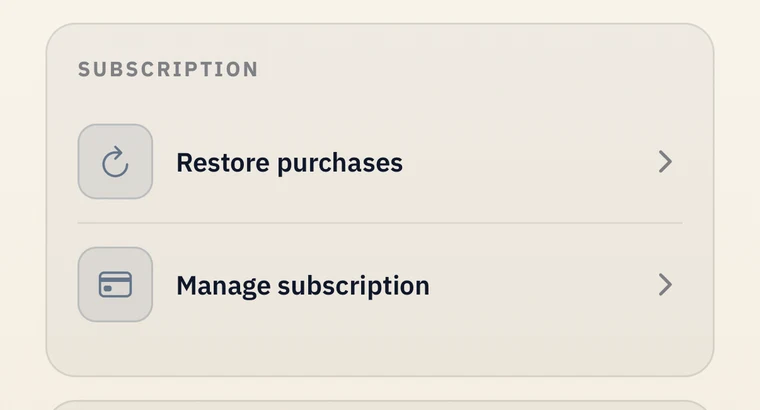
In the "Subscription" section, tap "Manage subscription". The subscriptions page of your Apple account will open.
- 4
Tap Traductor Darija, then "Cancel Subscription".

If there is no cancel button, or you see an expiration date in red text, the subscription is already canceled.
Option B · From iPhone Settings
- 1
In the Settings app, tap your name.
- 2
Tap "Subscriptions".
- 3
Tap Traductor Darija.
- 4
Tap "Cancel Subscription". You might need to scroll down to find the button.
If there is no cancel button, or you see an expiration date in red text, the subscription is already canceled.
Frequently asked questions
No. You keep every Premium feature until the end of the period you already paid for; after that, your account switches to the free plan.
On the web, canceling stops future charges and you keep the current period until it ends. Payments made in the app are handled by Apple: you can request a refund at reportaproblem.apple.com.
If your web subscription is still within its active period, click "Reactivate" in "Manage Premium". If it already expired (or it was an app subscription), just subscribe again whenever you like.
Check the other place: if it isn't on the website, look in your Apple account's subscriptions (and the other way around). If it still doesn't show up, write to us and we'll check it.
Write to help@traductordarija.com or use the contact page and we'll help you cancel.
Contact